Service / orders
http
▲ Address already in use:8080Portless automatically discovers and runs your services and dependencies — no config required — so you can trace every interaction and reproduce failures, without leaving your local development workflow.
$ portless up
✓ discovered checkout, inventory, orders
✓ started postgres and valkey
✓ store/local healthy · 5/5 ready
http://checkout.local.store.localhost
The problem
Ports collide. Services scatter across terminals. Dependencies run wherever they happen to fit. Soon the environment is harder to understand than the application.
Service / orders
:8080Service / inventory
:8080Resource / orders
:5432Resource / inventory
:5432Why Portless
Portless keeps process and container ports private, then publishes service-scoped HTTP and TCP addresses. Orders and inventory can both default to :8080, while both PostgreSQL dependencies remain available on :5432.
localhost:8080conflictlocalhost:8080conflictlocalhost:5432conflictlocalhost:5432conflictorders.local.store.localhostreadyinventory.local.store.localhostreadyorders-db.local.store.portless.testreadyinventory-db.local.store.portless.testreadyRun it
Starting work shouldn't mean rebuilding your local environment by hand. Run portless up from any checkout and Portless discovers the application, launches its services and dependencies, and opens the local control plane.
$ portless upRelated checkouts, services, and dependencies are discovered automatically.
Local processes and managed resources launch in the order they are needed.
The control plane opens with addresses and health visible for every service.
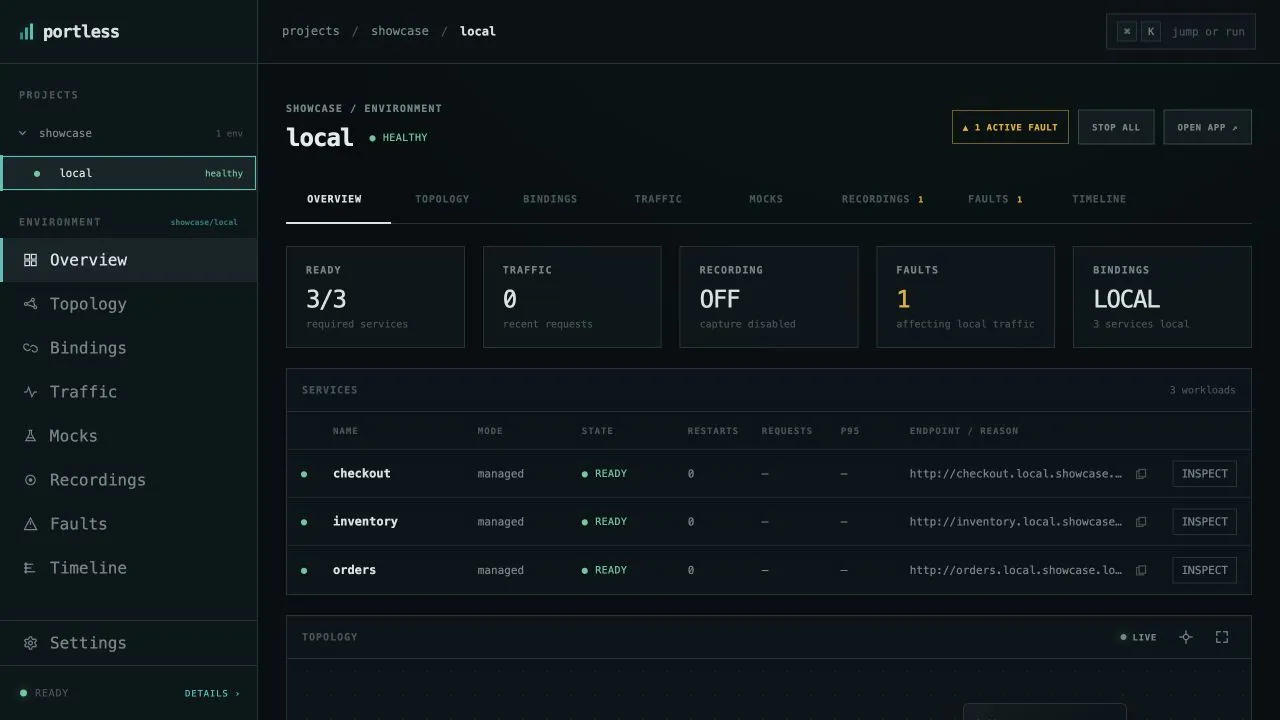
A project can span several repositories. Each environment reuses that topology while deciding what runs from a checkout, in a container, against a remote service, or as a deterministic mock.
Portless identifies runnable services from the project files already in your checkout. No config required.
More frameworks and resources coming soon
See it
Watch real requests cross exact source-to-target edges, with rate and latency attached to the relationships that produced them.
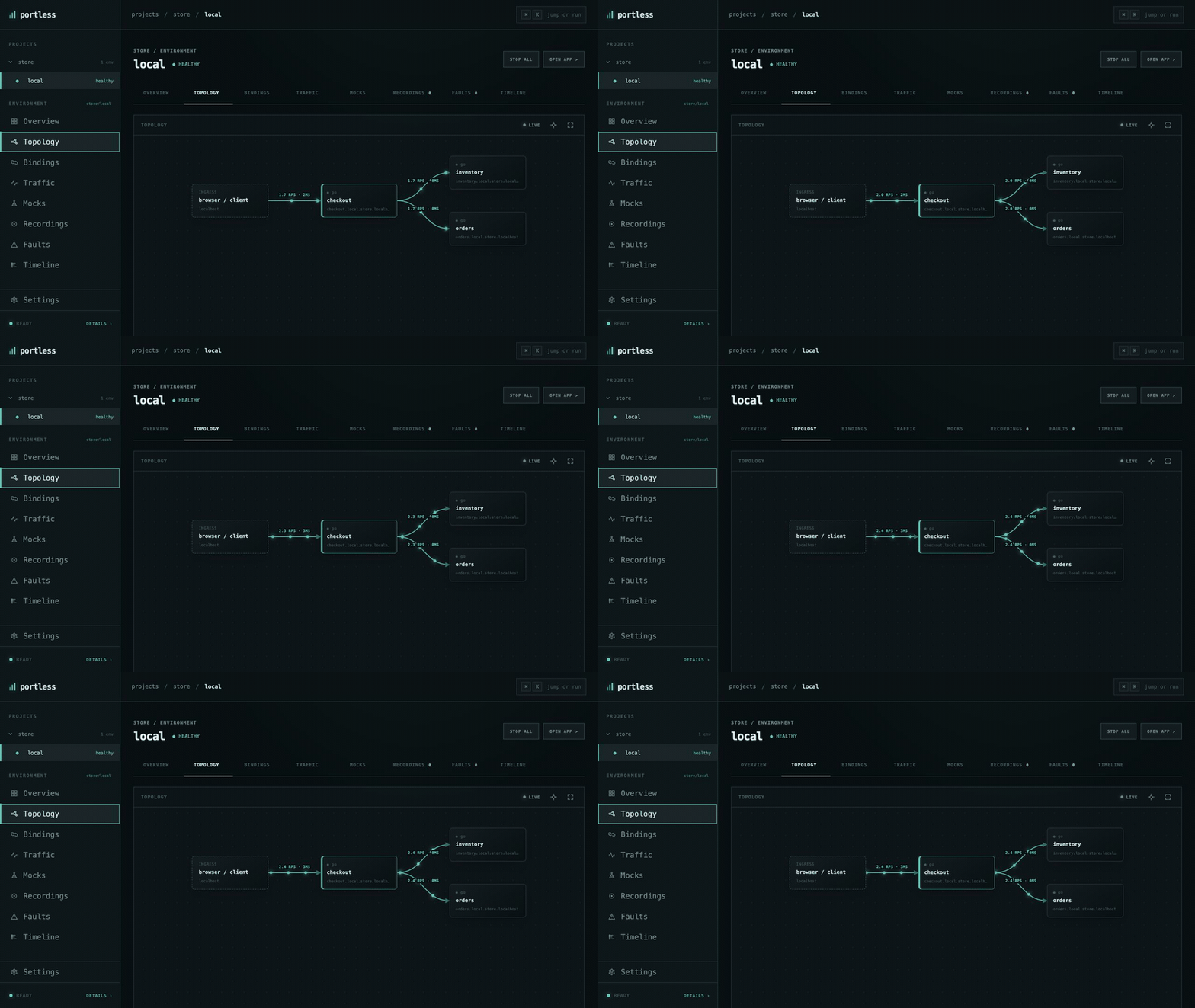
Portless preserves the caller on every dependency edge.
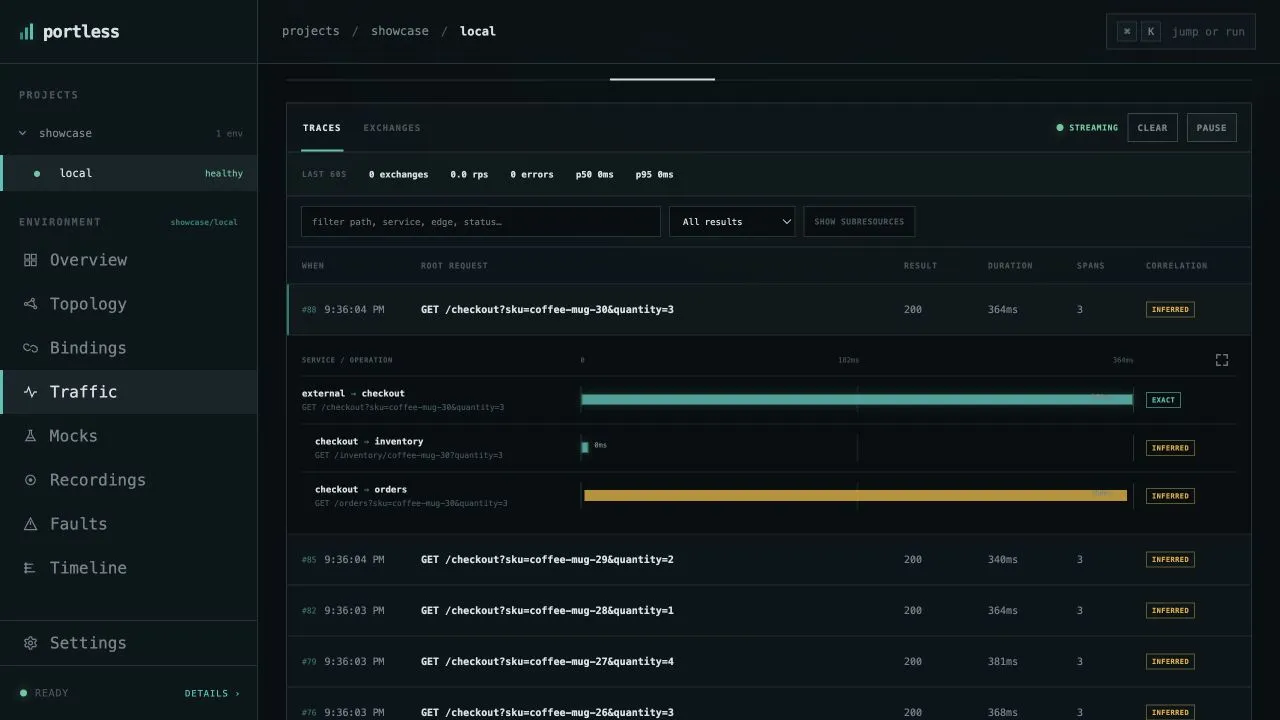
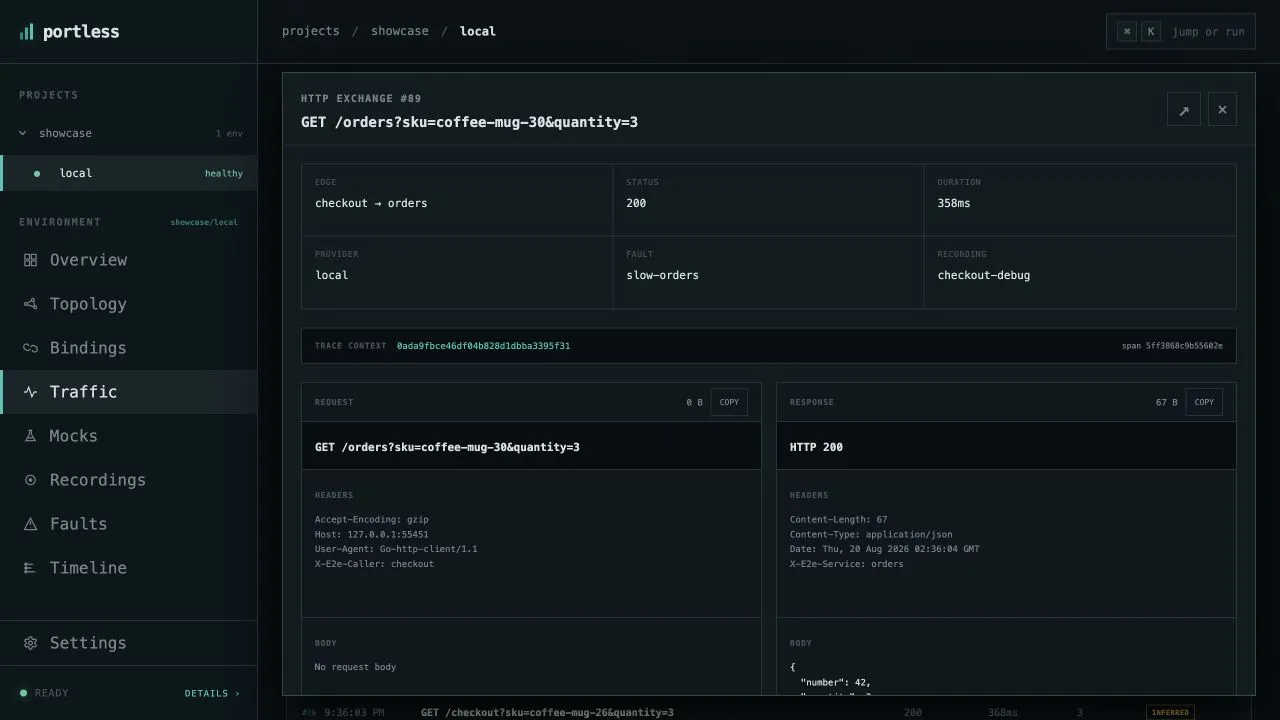
Trace requests across services, then inspect timing, headers, and captured request and response bodies.
Break it
Capture a workflow, replace one dependency with a deterministic mock, or inject latency and failures between services. No application code changes required.
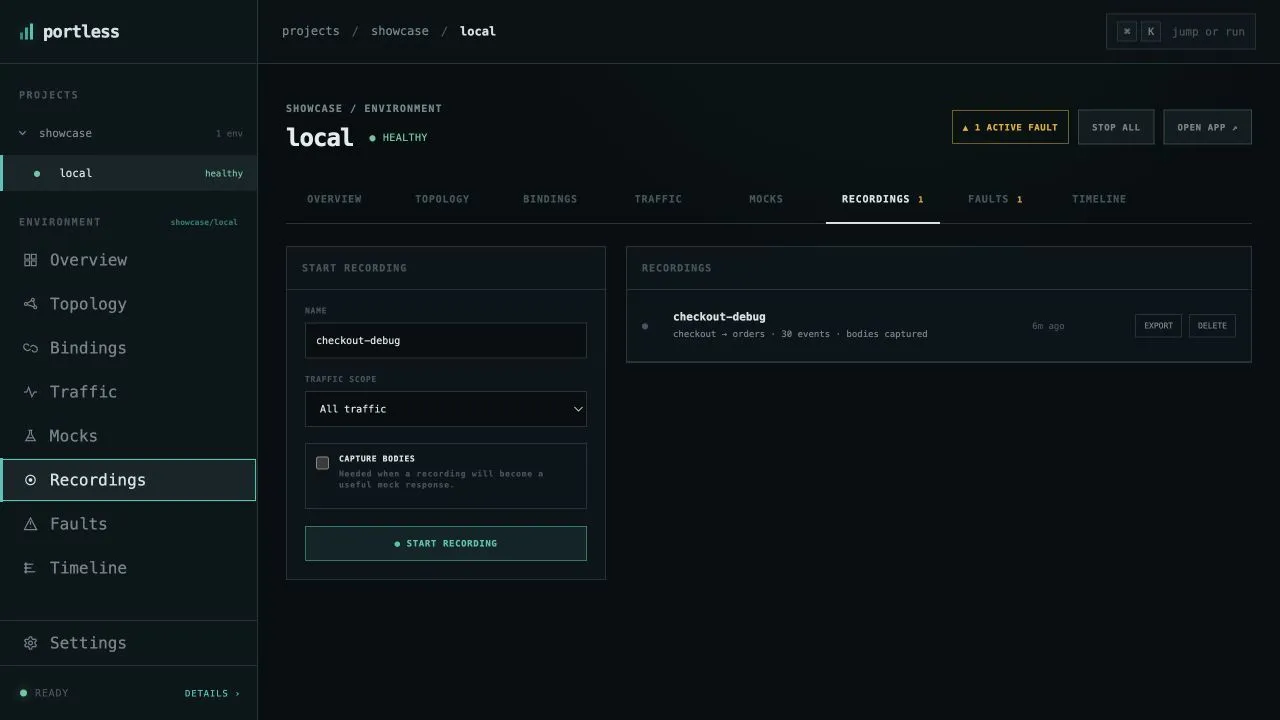
Capture a failing workflow as it happens, then inspect the requests, responses, and timing that led to it.
GET /inventory/coffee-mug
200sold-out{
"available": false,
"reason": "mocked sold out"
}Bind a service to a fixed local response while callers keep the same injected endpoint.
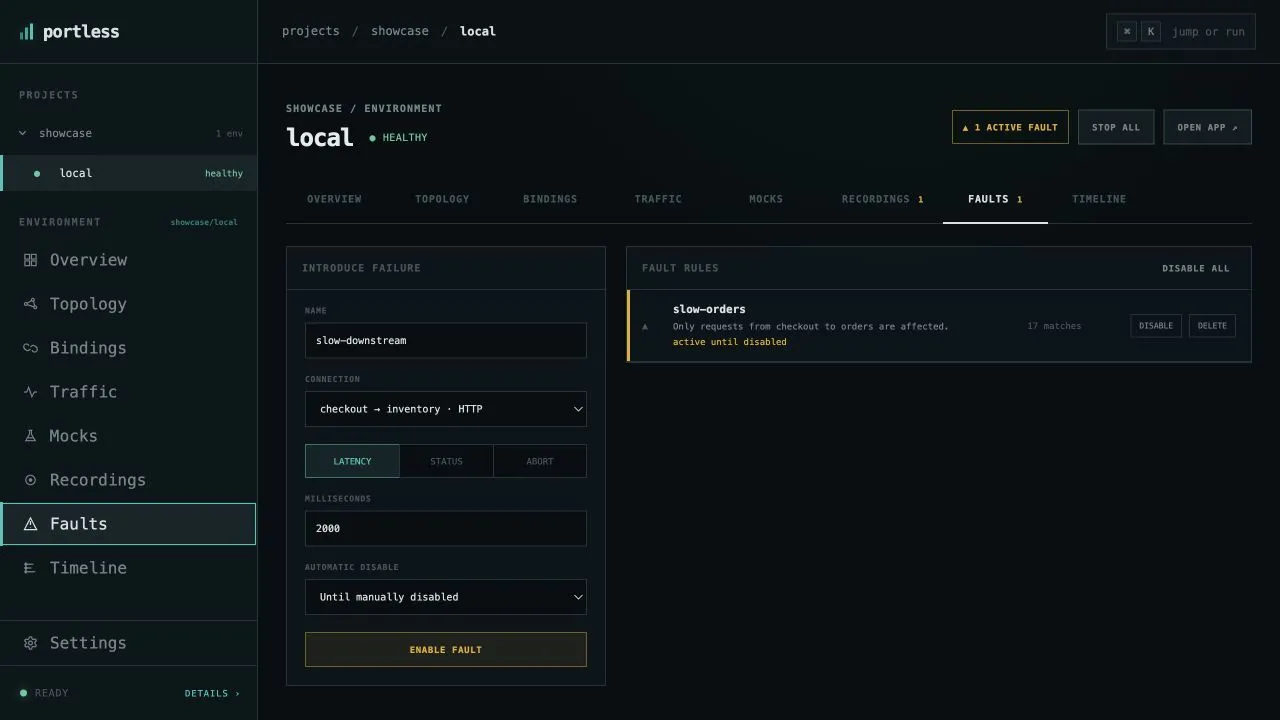
Target one service connection with latency, error responses, or dropped connections and see how the system reacts.
Locally
Portless runs locally with no account or hosted service required. Environment state, traffic, recordings, mocks, and faults stay on your machine.
Bounded, read-only discovery understands supported application frameworks and managed resources without running project code.
Every service gets a stable project and environment-aware address while private runtime ports stay private.
Model a project across repositories, then choose a local, container, remote, or mock provider for each component.
There is no account or hosted control plane. Environment state, traffic, recordings, and faults stay on your machine.
Run it · see it · break it
Start the whole application, follow service interactions, and test failures without changing code.
Get started
macOS with Homebrew
brew install runportless/tap/portlessOnce per machine
portless setupFrom your app's checkout
portless upYour services start. Your dashboard opens. You're ready.
Locally
Get started